Components and Props in React

I’m Arjun Saxena, a passionate software developer specializing in web engineering. I believe in writing code that creates real solutions to real problems. I love building efficient, user-friendly applications and constantly push myself to learn new technologies. Beyond coding, I enjoy sharing knowledge and growing together with others in the tech community.
Building UI Like Lego Blocks (Beginner Friendly Guide)
React is all about components and props.
Once you understand these two, React becomes easy and fun.
In this blog, we’ll learn:
What React components are
How props work (parent → child communication)
Children props and default props
All explained in a very easy, real-life way.
What Is a React Component? 🤔
A React component is a small reusable piece of UI.
Simple Definition
A component is a JavaScript function that returns HTML-like code (JSX).
Components = Lego Blocks 🧱 (Best Analogy)
Think of a website like a Lego structure:
| Website Part | React Concept |
| Lego block | Component |
| Reusing same block | Reusable component |
| Combining blocks | Component composition |
📌 Once you build one block, you can reuse it anywhere.
Your First React Component
function Welcome() {
  return <h1>Hello, Welcome to React!</h1>;
}
✔ This is a component
✔ It returns JSX
✔ It can be reused multiple times
Using the Component
<Welcome />
That’s it 🎉
Why Components Are Important?
Reusable
Easy to manage
Clean code
Easy to debug
Scales well for large apps
Parent and Child Components (Hierarchy)
Most React apps look like a tree:


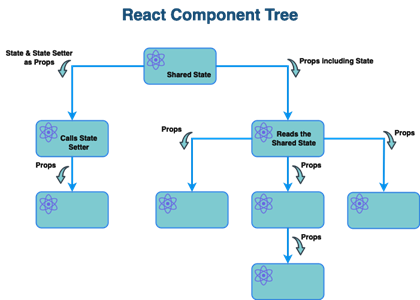
Example:
<App>
  ├── Header
  ├── ProductList
  │     └── ProductCard
  └── Footer
Understanding Props in React 🎁
Props (short for properties) are used to pass data from parent to child component.
Simple Definition
Props are like arguments passed to a function.
Real-Life Example: Gift 🎁
Parent → gives gift
Child → receives gift
Child cannot change the gift
📌 Props are read-only.
Passing Props (Simple Example)
Parent Component
function App() {
  return <Greeting name="Arjun" />;
}
Child Component
function Greeting(props) {
  return <h2>Hello {props.name} 👋</h2>;
}
✔ Parent sends data
✔ Child receives via props
Output
Hello Arjun 👋
Props with Destructuring (Cleaner Way)
function Greeting({ name }) {
  return <h2>Hello {name} 👋</h2>;
}
✔ Cleaner
✔ More readable
Props Flow Direction (Important Rule)
❗ Props flow one-way only
Parent → Child ✅
Child → Parent ❌
This makes React apps predictable and stable.
Using Multiple Props
function Profile({ name, age }) {
  return (
    <p>
      Name: {name}, Age: {age}
    </p>
  );
}
<Profile name="Arjun" age={22} />
Children Props 🧒
Passing JSX Inside Components
Sometimes you want to pass content between component tags.
Example: Card Component
function Card({ children }) {
  return (
    <div style={{ border: "1px solid gray", padding: "10px" }}>
      {children}
    </div>
  );
}
Using Card Component
<Card>
  <h2>Hello!</h2>
  <p>This is inside the card.</p>
</Card>
📌 Whatever you write inside <Card> becomes children.
Default Props 🛡️
When Props Are Not Passed
Default props provide fallback values.
Example
function Button({ text = "Click Me" }) {
  return <button>{text}</button>;
}
<Button />
<Button text="Submit" />
✔ First button → “Click Me”
✔ Second button → “Submit”
Component Reusability Example 🔁
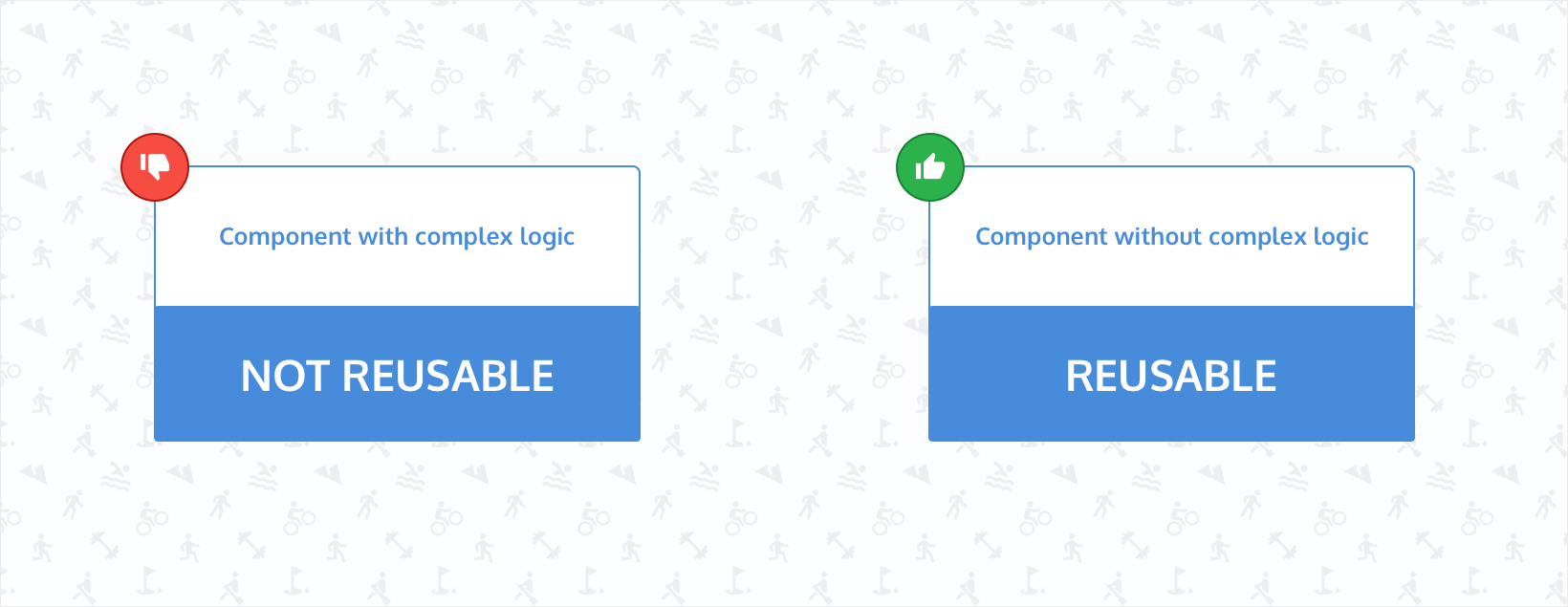


function Button({ text }) {
  return <button>{text}</button>;
}
<Button text="Login" />
<Button text="Signup" />
<Button text="Logout" />
✔ One component
✔ Multiple uses
Common Beginner Mistakes 🚫
❌ Modifying props
❌ Forgetting to pass props
❌ Using props instead of state
❌ Overcomplicating components


