Server–Client Architecture Explained for Beginners

I’m Arjun Saxena, a passionate software developer specializing in web engineering. I believe in writing code that creates real solutions to real problems. I love building efficient, user-friendly applications and constantly push myself to learn new technologies. Beyond coding, I enjoy sharing knowledge and growing together with others in the tech community.
How Websites Actually Work Behind the Scenes
Ever clicked on a website and wondered what really happens after you press Enter?
Behind every webpage lies a simple but powerful concept called Client–Server Architecture.
In this blog, we’ll understand:
Client-side vs Server-side (without jargon)
The HTTP Request–Response cycle
How web servers & hosting make your website live
All explained step by step with examples.
What Is Client–Server Architecture? (Simple Definition)
Client–Server Architecture is a model where:
Client → asks for something
Server → provides it
That’s it. Simple.
Real-Life Example 🧑🍳🍽️
Think of a restaurant:
| Role | In Web | In Real Life |
| Client | Your browser | You (customer) |
| Server | Website server | Kitchen |
| Request | Open a webpage | Order food |
| Response | HTML/CSS/JS | Food served |
Who Is the Client?
The client is the thing you use to access the web.
Examples:
Chrome, Firefox, Edge (browsers)
Mobile apps
Postman, Curl (developers)
The client’s job:
Send requests
Display responses
Handle user interaction
Who Is the Server?
The server is a powerful computer that:
Stores website data
Runs backend code
Sends responses to clients
Servers usually live in data centers and run 24/7.
Client-Side vs Server-Side (Beginner Friendly)
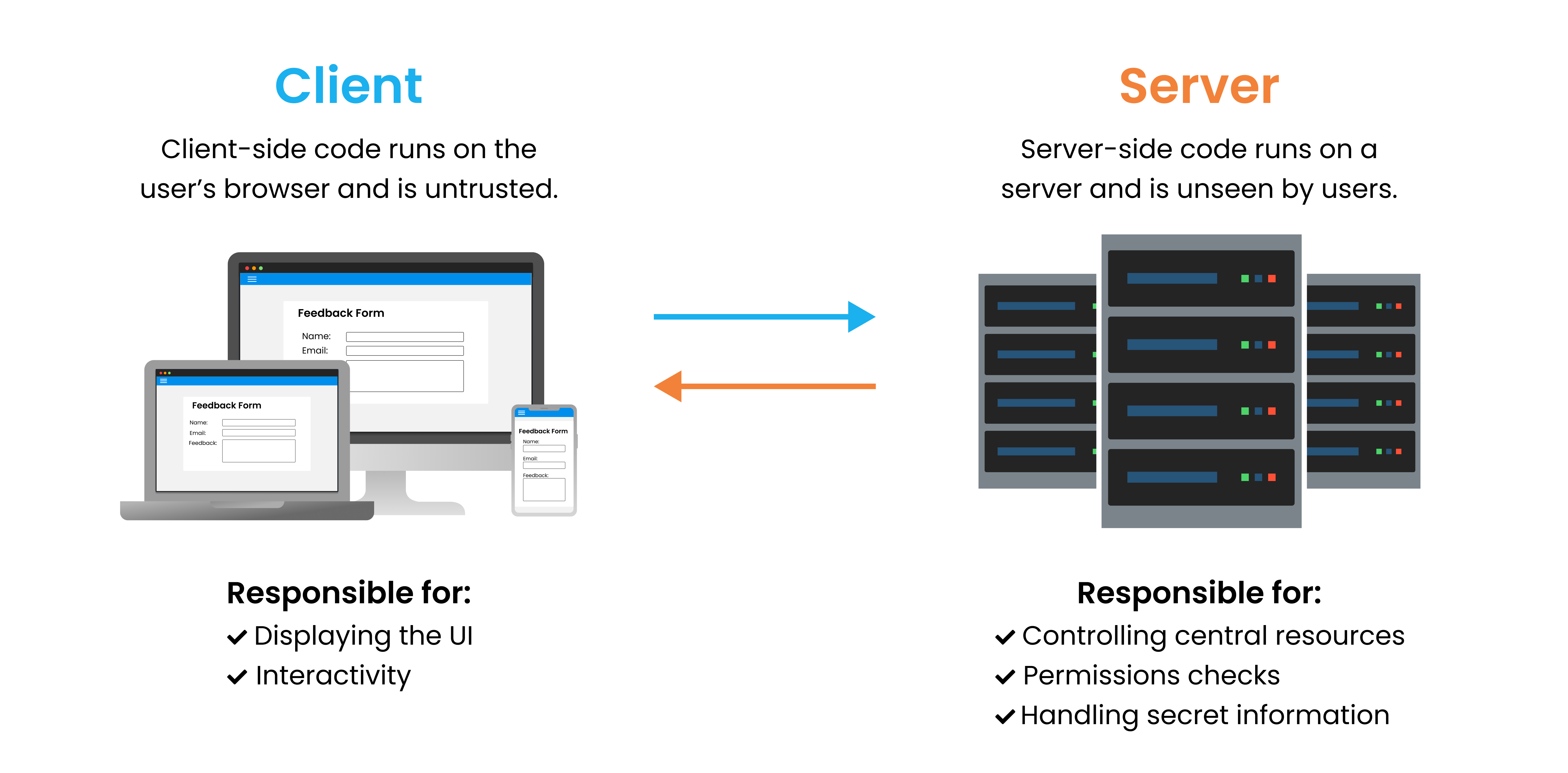
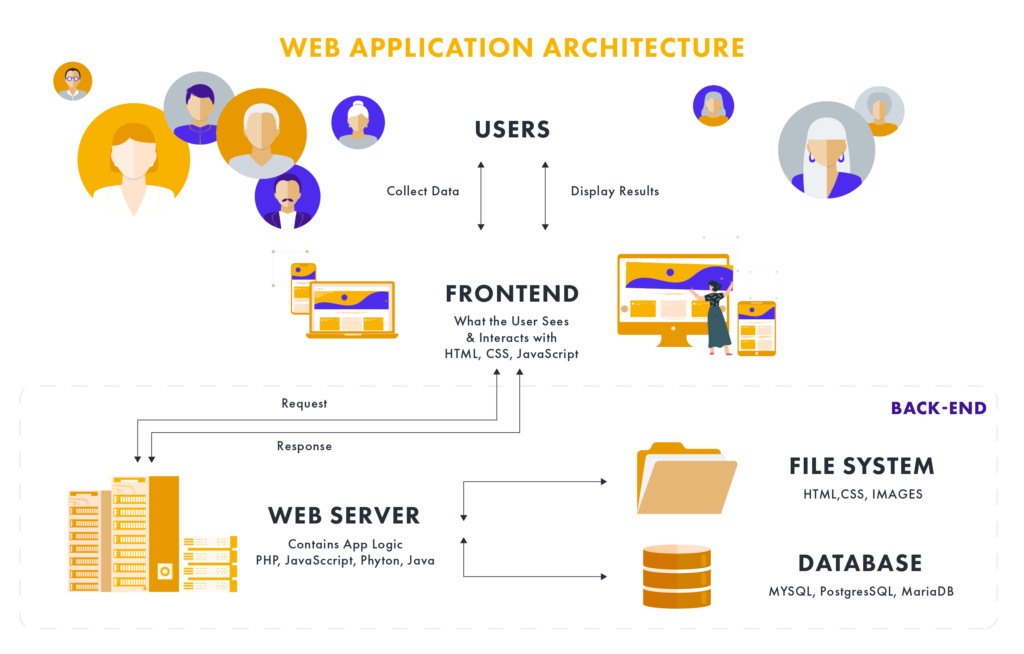
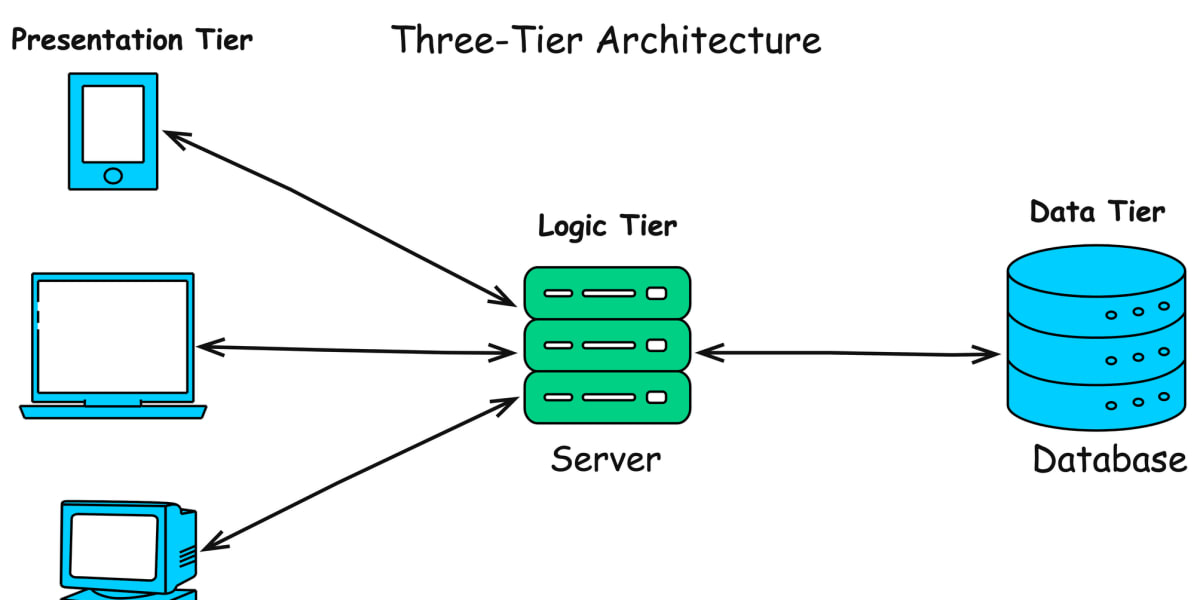
Client-Side ( Frontend ) 🖥️
This is what runs inside your browser.
Examples:
HTML (structure)
CSS (design)
JavaScript (interaction)
What client-side does:
Show buttons & text
Handle clicks
Form validation
Animations
📌 Example:
When you click “Like”, the button animation happens on the client-side.
Server-Side (Backend) 🧠
This runs on the server, not in the browser.
Examples:
Node.js
Java, Python, PHP
Databases (MySQL, MongoDB)
What server-side does:
Save user data
Authenticate users
Process business logic
Talk to databases
📌 Example:
When you log in, the server checks your username & password.
Client vs Server in One Table
| Feature | Client-Side | Server-Side |
| Runs on | Browser | Server |
| Visible code | Yes | No |
| Handles UI | Yes | No |
| Handles database | No | Yes |
HTTP Request–Response Cycle (Behind the Scenes)
Now let’s see what happens when you open a website.

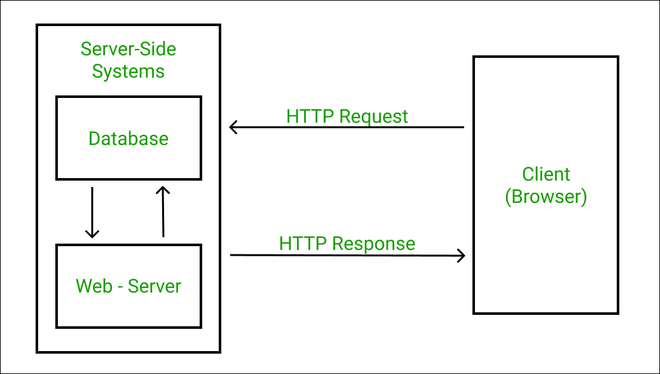

Step-by-Step Flow 🚦
Step 1: Client Sends Request
You type:
https://example.com
Browser sends an HTTP Request:
Method: GET
URL: /home
Step 2: Server Processes Request
Server:
Understands the request
Runs backend code
Fetches data if needed
Step 3: Server Sends Response
Server replies with:
HTML
CSS
JavaScript
Status code (200, 404, etc.)
Step 4: Browser Displays Website
Browser:
Reads HTML
Applies CSS
Runs JavaScript
Shows webpage to you 🎉
One-Line Flow Summary
Browser → Request → Server → Response → Browser
Common HTTP Methods (Easy)
| Method | Meaning | Example |
| GET | Get data | Open a page |
| POST | Send data | Submit a form |
| PUT | Update data | Edit profile |
| DELETE | Remove data | Delete post |
What Is a Web Server?
A web server is software that:
Listens for HTTP requests
Sends back responses
Popular web servers:
Apache
Nginx
Node.js server
📌 Without a web server, your website cannot talk to browsers.
What Is Hosting?
Hosting means:
Renting space on the Internet to store your website files.
Your website needs:
Storage (HTML, images, code)
Internet connection
A server running 24/7
Hosting providers handle this for you.
How Your Website Becomes Live 🌍
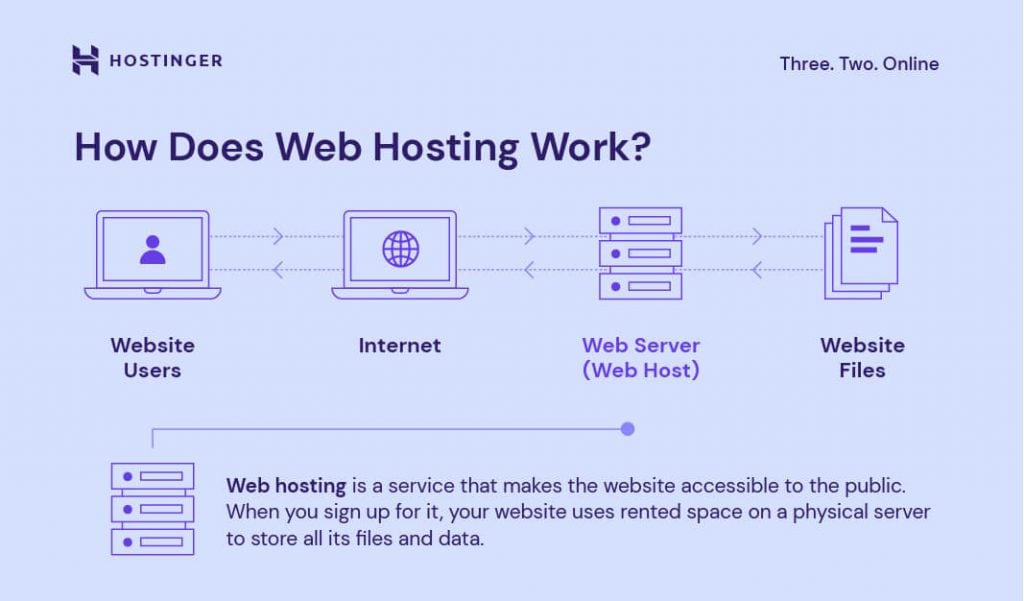

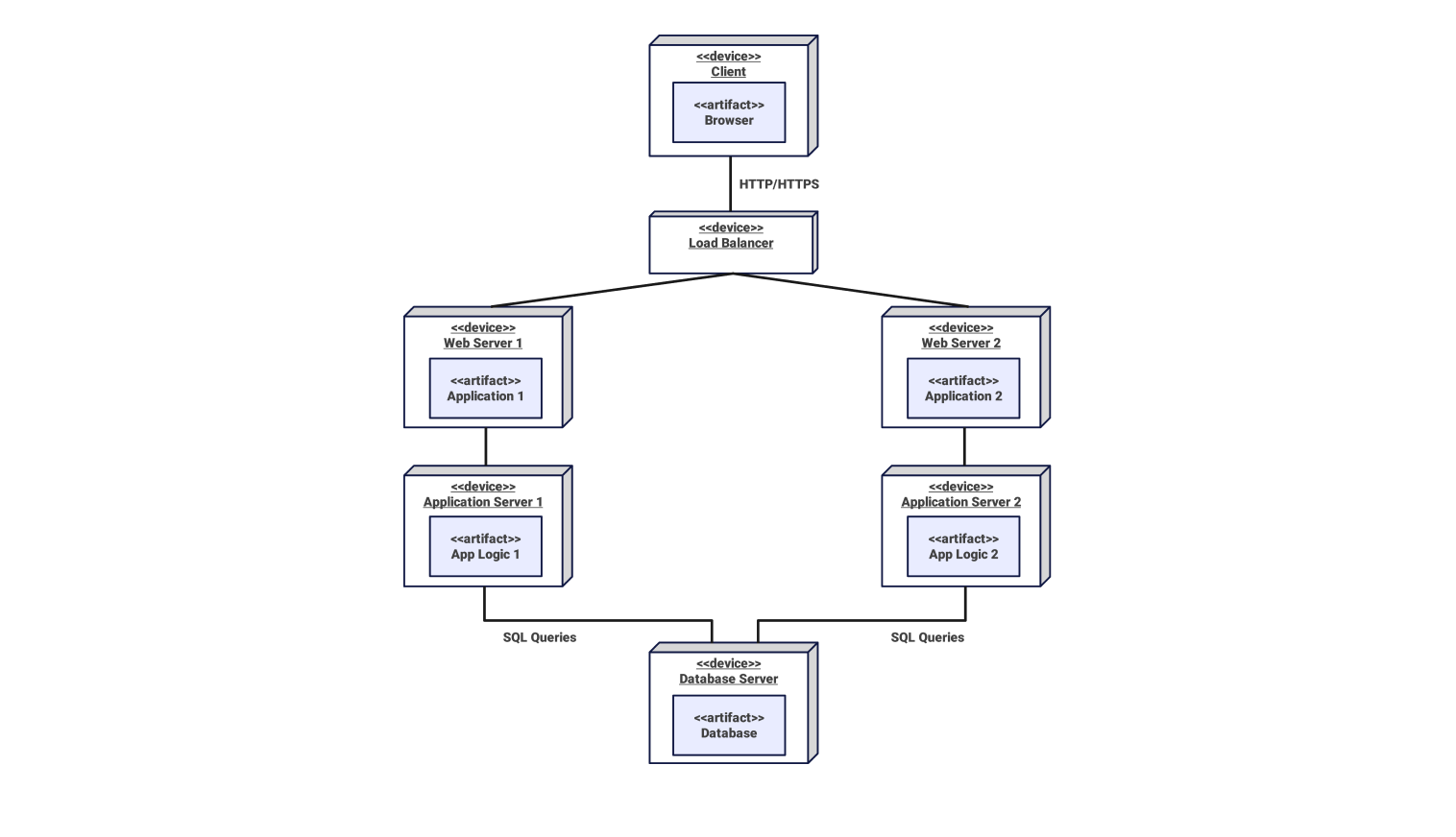
Step-by-Step:
You buy a domain (example.com)
You upload your website to a server
Domain connects to server via DNS
Anyone in the world can access your site
Complete Website Flow (End-to-End Example)
Let’s say you open Instagram 📸
Browser sends request to Instagram server
Server checks your login
Server fetches posts from database
Server sends data back
Browser displays feed
All this happens in milliseconds ⚡
Why Client–Server Architecture Is Important
✔ Clear separation of responsibilities
✔ Secure data handling
✔ Scales to millions of users
✔ Easy to maintain & update
That’s why almost every web app uses it.


