The Node.js Event Loop Explained

I’m Arjun Saxena, a passionate software developer specializing in web engineering. I believe in writing code that creates real solutions to real problems. I love building efficient, user-friendly applications and constantly push myself to learn new technologies. Beyond coding, I enjoy sharing knowledge and growing together with others in the tech community.
“Node.js is single-threaded… then how does it handle so many users?”
The short answer is 👉 The Event Loop
In this article, we’ll understand:
What the Node.js Event Loop is
Blocking vs Non-blocking code
How Node.js handles multiple requests with a single thread
Async code using callbacks and promises
All explained in a very simple & beginner-friendly way.
A Simple Analogy: A Chef Handling Multiple Orders 🍳
Imagine a restaurant with one chef.
Customers place orders
Some food takes time to cook
The chef does not wait doing nothing
While food is cooking, the chef takes other orders
👉 This is exactly how Node.js works
| Real Life | Node.js |
| Chef | Single thread |
| Orders | User requests |
| Cooking | Async tasks |
| Order system | Event Loop |
What Is the Node.js Event Loop?
The Event Loop is a system inside Node.js that:
Keeps track of tasks
Executes callbacks
Handles async operations
Makes Node.js non-blocking
👉 It decides what code should run next
Single Thread ≠ Single Task ❗
Node.js:
Has one main thread
But can handle many requests
Because long tasks are handled asynchronously
That’s the power of the event loop 💪
Blocking Code (Bad ❌)
Blocking code stops everything until it finishes.
Example (Blocking)
const fs = require("fs");

const data = fs.readFileSync("file.txt", "utf-8");
console.log(data);

console.log("This runs last");
👉 Node.js waits for the file
👉 No other request can be processed
👉 Bad for servers ❌
Non-Blocking Code (Good ✅)
Example (Non-Blocking)
const fs = require("fs");

fs.readFile("file.txt", "utf-8", (err, data) => {
  console.log(data);
});

console.log("This runs first");
👉 File reading happens in background
👉 Event loop keeps running
👉 Server stays fast 🚀
Blocking vs Non-Blocking (Easy Comparison)
| Blocking | Non-Blocking |
| Stops execution | Continues execution |
| Slow servers | Fast servers |
| Simple but risky | Slightly complex but scalable |
How Node.js Handles Multiple Requests 🧠
Let’s say:
User A → file request
User B → API request
User C → form submission
Node.js:
Accepts all requests
Sends slow tasks to background
Event loop continues running
Responds when tasks are done
👉 No request waits in a long line
Event Loop Phases (Simplified)
The event loop runs in cycles.
Main Phases (Beginner View)
Timers →
setTimeout,setIntervalI/O Callbacks → file & network
Poll → waits for new tasks
Check →
setImmediateClose callbacks
The loop repeats again and again 🔁
Callbacks Explained Simply 🔁
A callback is:
A function that runs after a task finishes
Example
setTimeout(() => {
  console.log("Task completed");
}, 2000);

console.log("Waiting...");
Output
Waiting...
Task completed
👉 Task goes to background
👉 Callback runs later
The Problem with Callbacks 😵
Too many callbacks lead to callback hell.
task1(() => {
  task2(() => {
    task3(() => {
      console.log("Done");
    });
  });
});
❌ Hard to read
❌ Hard to maintain
Promises: A Better Way 🤝
Promises make async code cleaner.
Example
fetchData()
  .then(data => processData(data))
  .then(result => console.log(result))
  .catch(error => console.log(error));
Promise States
| State | Meaning |
| Pending | Still running |
| Fulfilled | Success |
| Rejected | Failed |
Async / Await (Best & Cleanest ✨)
async function getUser() {
  try {
    const user = await fetchUser();
    console.log(user);
  } catch (err) {
    console.log(err);
  }
}
👉 Looks synchronous
👉 Works asynchronously
👉 Uses event loop internally
Blocking vs Non-Blocking Flow Diagram
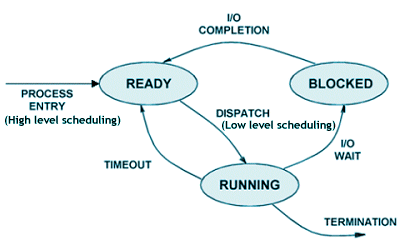
Blocking Flow
Task A → wait
Task B → wait
Task C

Non-Blocking Flow
Task A → background
Task B → run
Task C → run
Callback when ready
Why the Event Loop Is So Important?
Because it makes Node.js:
Fast
Scalable
Memory-efficient
Perfect for APIs, chat apps, streaming


